
What is DNS?
DNS (Domain Name System) translates your domain name into the IP address where your website lives. You may need to edit DNS records to point your domain to external services, verify domain ownership, or configure email routing.
Accessing Zone Editor
- From your dashboard, click DNS next to your domain
- This opens cPanel's Zone Editor where you can manage all DNS records
Common DNS Records
| A Record | Points your domain to an IP address (e.g. your server) |
| CNAME | Creates an alias (e.g. www pointing to your main domain) |
| MX Record | Routes email to your mail server (e.g. Google Workspace, Microsoft 365) |
| TXT Record | Used for verification (Google, SPF, DKIM, etc.) |
| NS Record | Nameserver records — usually set at your domain registrar |
Gravity Host Nameservers
If your domain is registered elsewhere, point it to Gravity Host using these nameservers:
ns1.gravityhost.co.uk(198.244.233.67)ns2.gravityhost.co.uk(77.75.121.141)
Need Help?
If you're unsure which records to change, open a support ticket and we'll configure them for you.
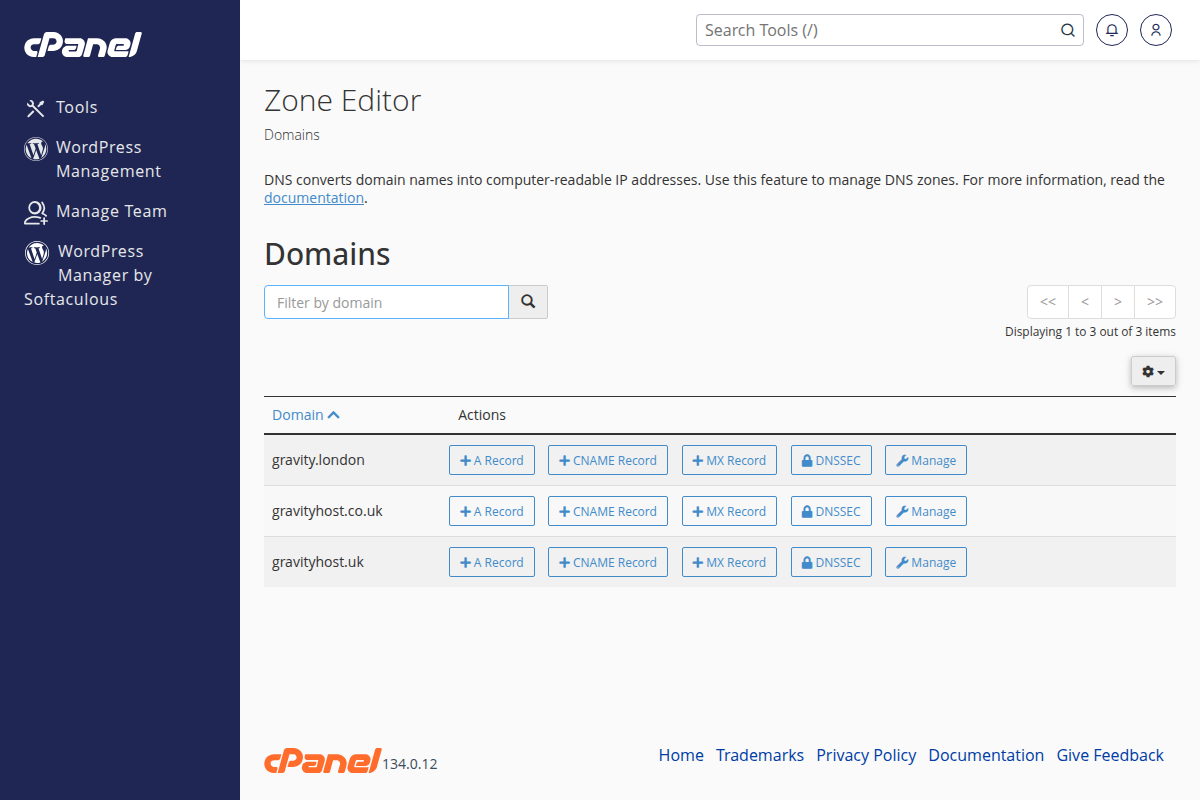
The Zone Editor in cPanel where you manage A, CNAME, MX, and TXT records