
Welcome to Gravity Host
Your hosting account is ready to use. Here's how to get started:
1. Log in to cPanel
From your dashboard, click the cPanel button next to your domain. This logs you straight in — no separate password needed.
2. Set up your website
In cPanel, look for WordPress Toolkit or Softaculous to install WordPress, OpenCart, or 400+ other apps in one click.
3. Set up email
In cPanel, go to Email Accounts to create addresses like you@yourdomain.com. Access them at webmail.yourdomain.com or through cPanel.
4. Point your domain
If your domain is registered elsewhere, update its nameservers to:
ns1.gravityhost.co.ukns2.gravityhost.co.uk
DNS changes can take up to 24 hours to propagate.
5. Upload files
Use cPanel's File Manager or connect via FTP/SFTP. Your website files go in public_html.
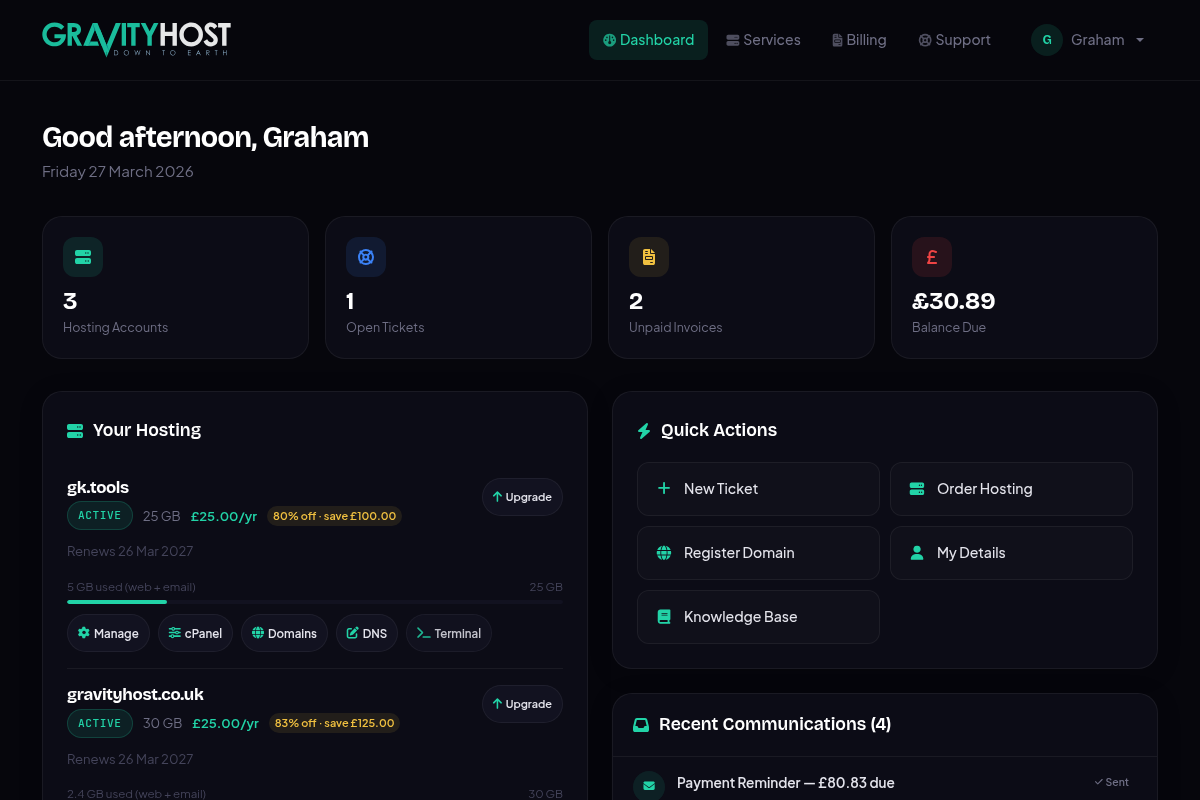
Your dashboard after logging in — with quick access to cPanel, DNS, and account management