
Automatic Daily Backups
Every Gravity Host account is backed up daily using JetBackup. Backups are taken every day and kept off-site, giving you a safety net if anything goes wrong. JetBackup lists every date you can restore from, so open it to see exactly what is available for your account.
How to Restore a Backup
- Log in to cPanel from your dashboard
- Find JetBackup 5 in the Files section
- Choose what to restore:
- Full Account — restores everything (files, databases, emails, settings)
- Home Directory — just your website files
- Databases — individual MySQL databases
- Email Accounts — email data and settings
- Select the backup date you want to restore from
- Click Restore and confirm
Downloading a Backup
You can also download backups to keep a local copy. In JetBackup, click Download instead of Restore. The backup will be prepared and available as a download link.
Tips
- Always take a backup before making major changes to your website
- If the date you need is not in the list, contact support before giving up — ask us and we will check what can still be recovered
- You can also create manual backups in cPanel under Backup Wizard
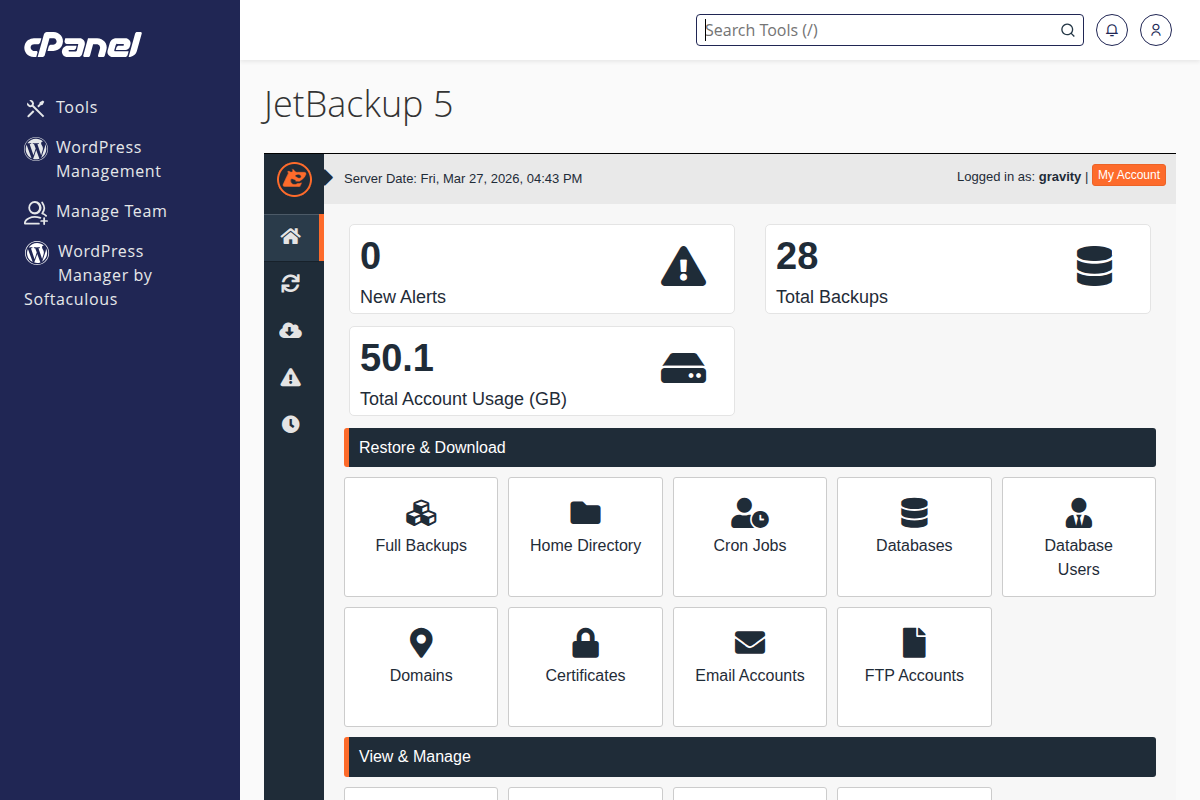
JetBackup 5 in cPanel — restore files, databases, or email from daily backups