Install Reviews extension
For OpenCart 3.0. Five steps, all in your OpenCart admin. You need the zip from your purchase email or from Your software.
Step by step
-
Upload the zip
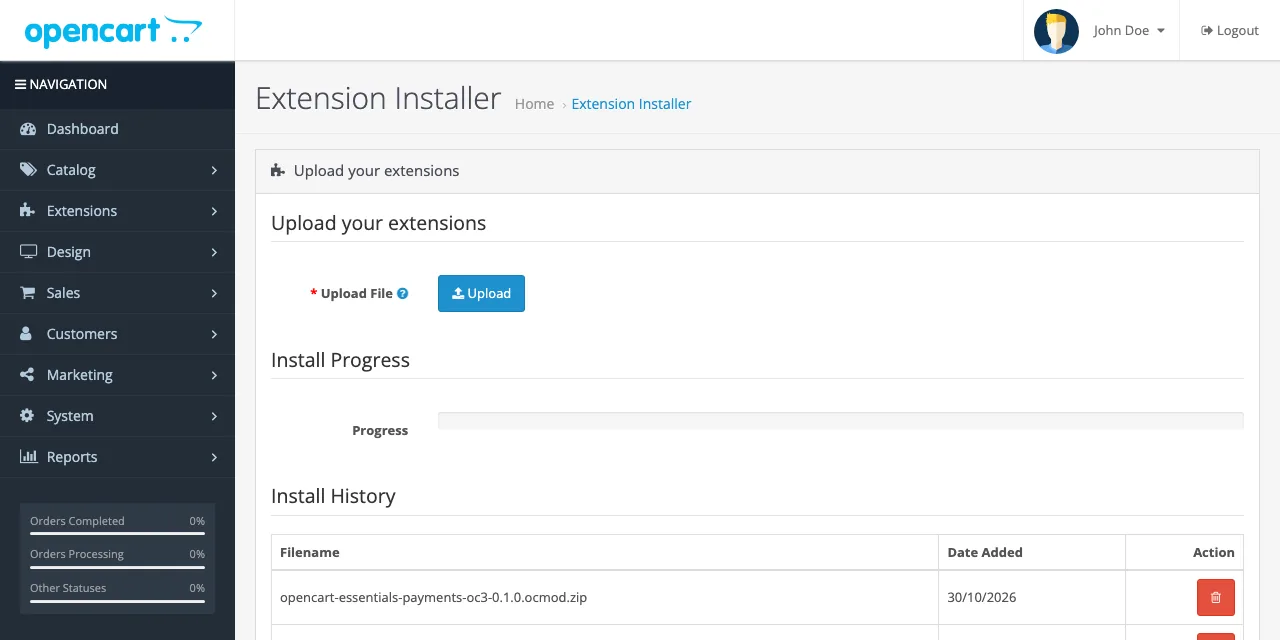
In your OpenCart admin, open Extensions, then Installer. Press Upload and choose the zip you downloaded.
-
Install it
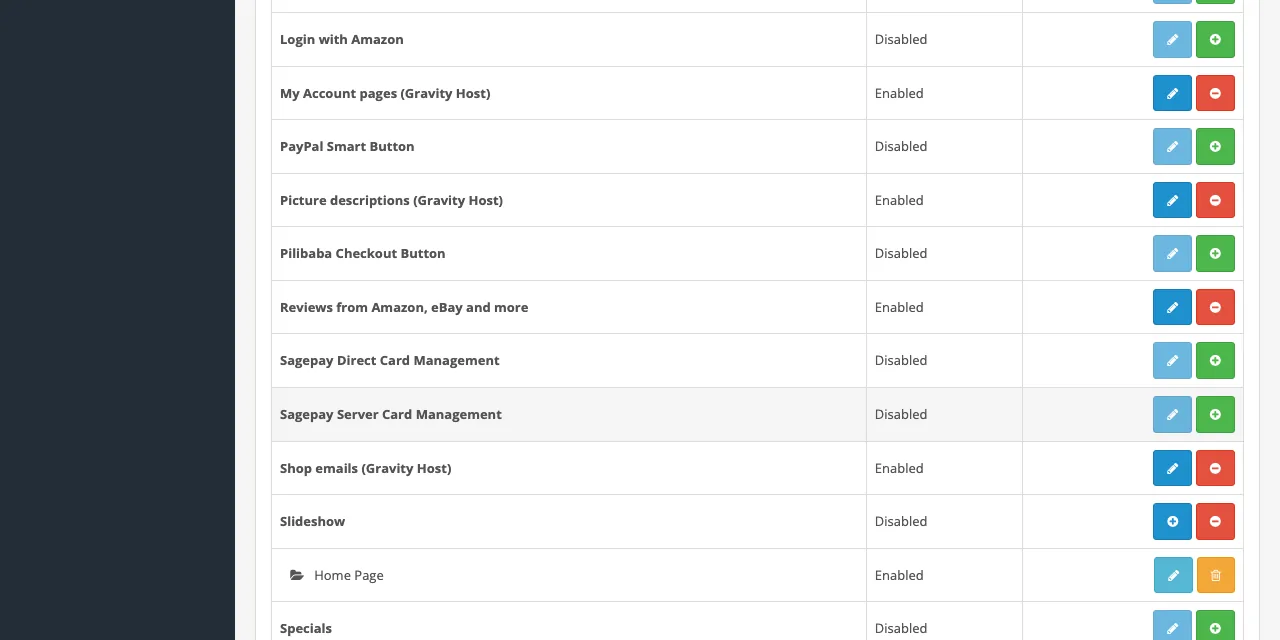
Open Extensions, then Extensions, and choose Modules from the drop-down. Find "Reviews from Amazon, eBay and more", press the green +, then the blue pencil.
-
Choose how reviews show
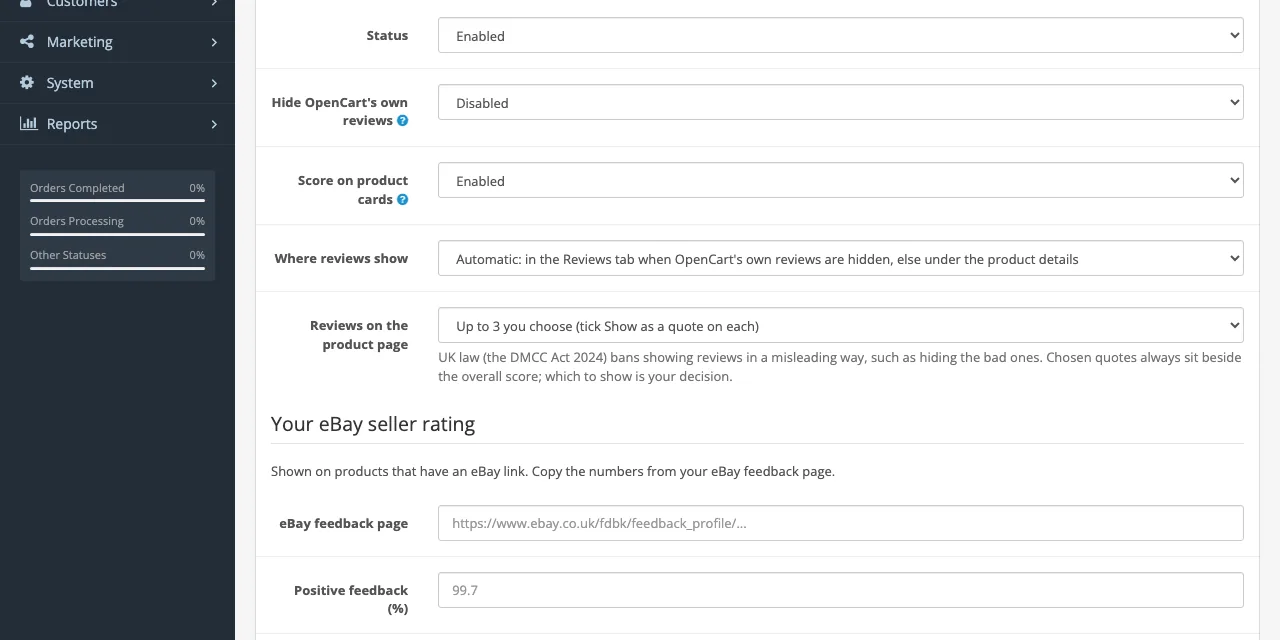
Set Status to Enabled. Pick Where reviews show (Automatic suits most shops) and Reviews on the product page, then press Save.
-
Add your scores
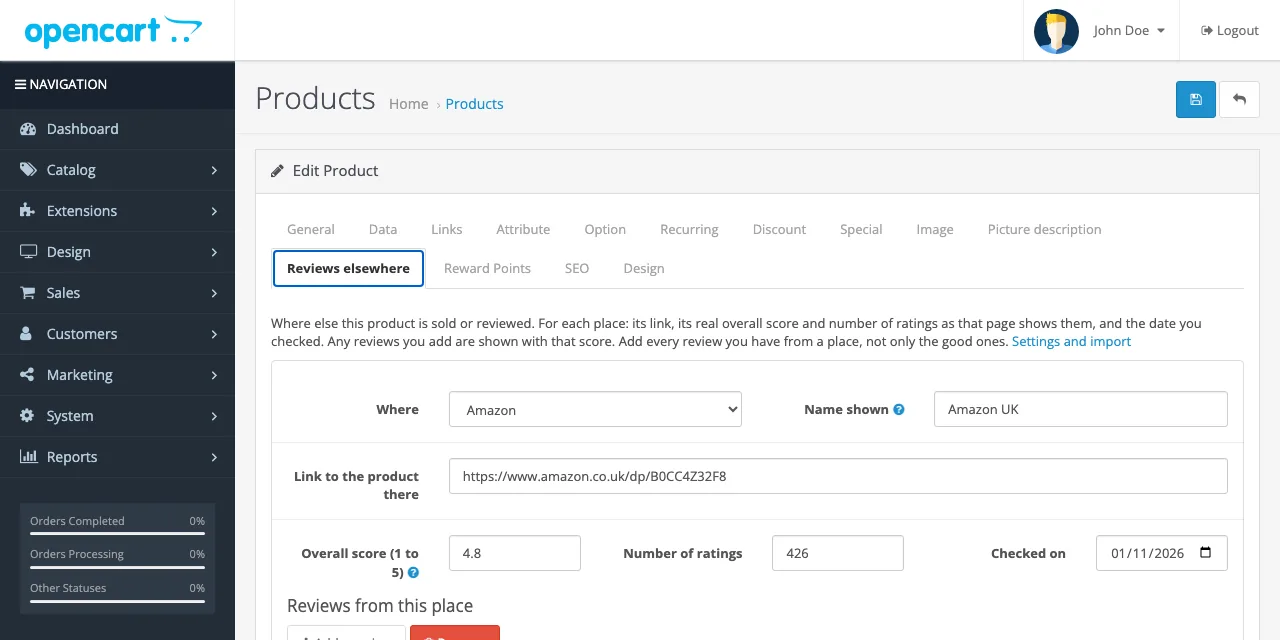
Open Catalog, then Products, edit a product and open its Reviews elsewhere tab. Press Add a place and enter the link, the real overall score and the number of ratings, as that page shows them. Press Add a review for any reviews you want to quote, then save the product. To do many at once, use Bring in reviews from a file in the settings.
-
Check your shop
Open a product you added scores to in a private window, on a phone and on a computer.


Updating later
Download the new zip from Your software and upload it (step 1). Your settings and reviews stay as they are.
Stuck?
Email support@gravityhost.co.uk or open a ticket and tell us which step. We reply around the clock.