Amazon, eBay and anywhere else
Add Amazon, eBay, Google, Trustpilot or any other place for each product: its link, its overall score, its number of ratings and its name.
The reviews extension for OpenCart 3
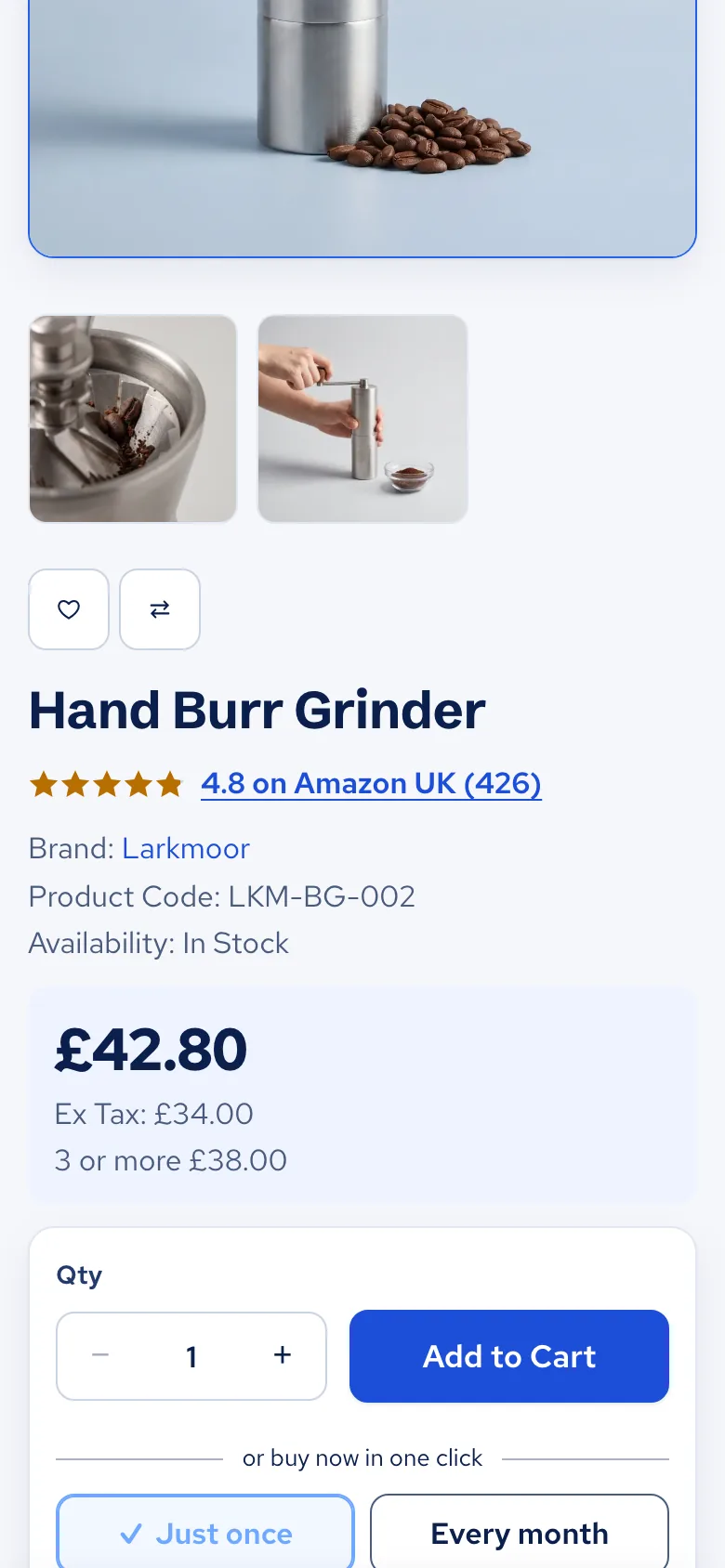
You've already earned the good ratings elsewhere. Show them under the product title and on product cards, linked to where they came from, with the reviews you want to quote. Shoppers see the proof without leaving your shop to look for it.
£39 once, with a year of updates and help. £19 when your shop is hosted with us. More years of updates are £15 a year, or £10 with our hosting, and it keeps working if you stop.
Setup guide and help: every step with a picture.
In daily use on Best Immune's shop, with 30 quotes from Amazon UK.

On your shop
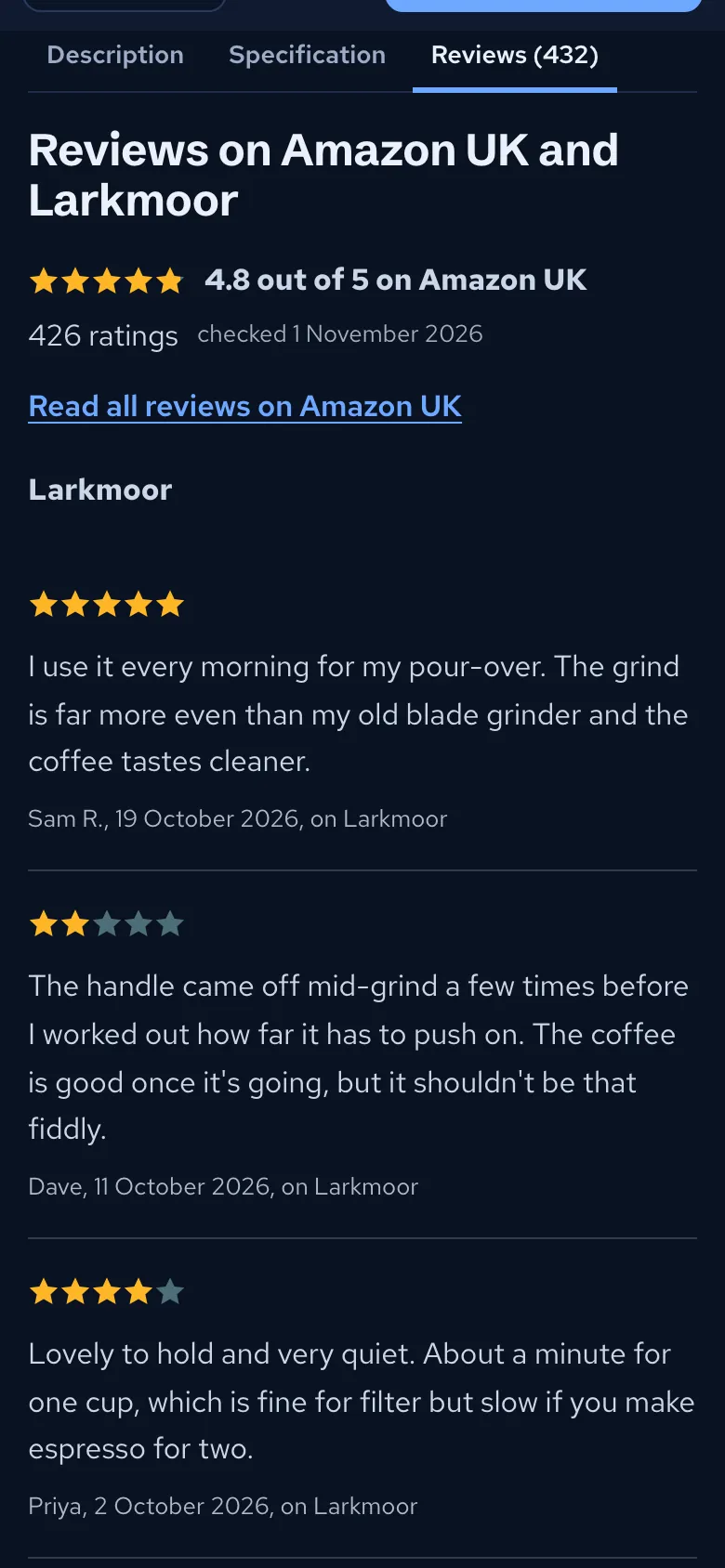
A click on the score line opens the reviews. Show them in the Reviews tab or under the product details, whichever suits your shop. Product cards in categories, search and modules show the score with the most ratings.


What you get
Add Amazon, eBay, Google, Trustpilot or any other place for each product: its link, its overall score, its number of ratings and its name.
Enter your positive feedback figure and number of ratings once, and it shows on products with an eBay link.
Show every review you've added, up to 3 you choose, or none. Each shows the reviewer's name and the original date, and chosen quotes sit with the overall score.
If all your reviews come from elsewhere, one switch removes the empty Reviews tab and grey stars. Anything already written stays saved.
Add many at once from a JSON or CSV file of up to 5 MB, and download all your reviews whenever you like.
The words shoppers see come ready in English, German, Spanish, French, Italian, Dutch, Polish and Portuguese.
Straight with you
This is not a live feed. You copy each score and number of ratings from the page they're on and enter the date you checked, and shoppers can follow the link to see for themselves. When the numbers move, change them.
UK law (the DMCC Act 2024) bans showing reviews in a misleading way, such as hiding the bad ones. So quote real reviews only. Whichever you choose to quote, they always sit with the overall score, and that score links to its source.
Try it on the demo shop on your phone.
Price
About half price: £19 once. More years of updates are £10 a year.
See our OpenCart hosting£39 once. Yours to keep on one shop hosted anywhere, with a year of updates and help. Another year of updates is £15.
Buy it on its ownThe setup guide shows every step with a picture. Stuck on a step? Email support@gravityhost.co.uk and we'll help.
Open the setup guideBefore you buy
No. You copy the score and the number of ratings from the page they are on, and enter the date you checked. It is not a live feed, so look again now and then and change the numbers when they move.
Amazon, eBay, Google, Trustpilot, or anywhere else a product is sold or reviewed. Each one gets its own link, score and name, such as Amazon UK.
Yes. Show every review you have added, up to 3 you choose, or no quotes at all and only the score and link. Chosen quotes always sit with the overall score, because UK law (the DMCC Act 2024) bans showing reviews in a misleading way, such as hiding the bad ones.
Each review you add has its own date, shown with it. On a score, the date you checked it is shown too.
That is up to you. They carry on as normal unless you switch on Hide OpenCart's own reviews, which removes their tab and stars from product pages and cards. Reviews already written stay saved.
It works in any OpenCart 3 theme, and it matches Fresh, our own theme, in light and dark mode.
No. Bring in a JSON or CSV file of up to 5 MB from the settings, and download all your reviews as a file too.
No. Upload it, switch it on and add your scores. Your purchase still gives you a year of updates and help.
Yes, it is about half price. If your OpenCart shop is hosted with us, it costs less, and updates and help carry on while your hosting lasts.
Machine translation by Google. English is the original. Please read prices and hosting terms in English before you buy.
Prices are shown and charged in this currency, with no conversion at checkout, and no surprise from your bank.