Is WordPress included with web hosting? What one price covers
A new hosting customer signs in for the first time, ready to get their website started that afternoon. One question comes first, and it is a situation that comes up often: is WordPress part of the plan they have already paid for, or an extra they still need to buy? Once that is clear, they can start building with confidence.
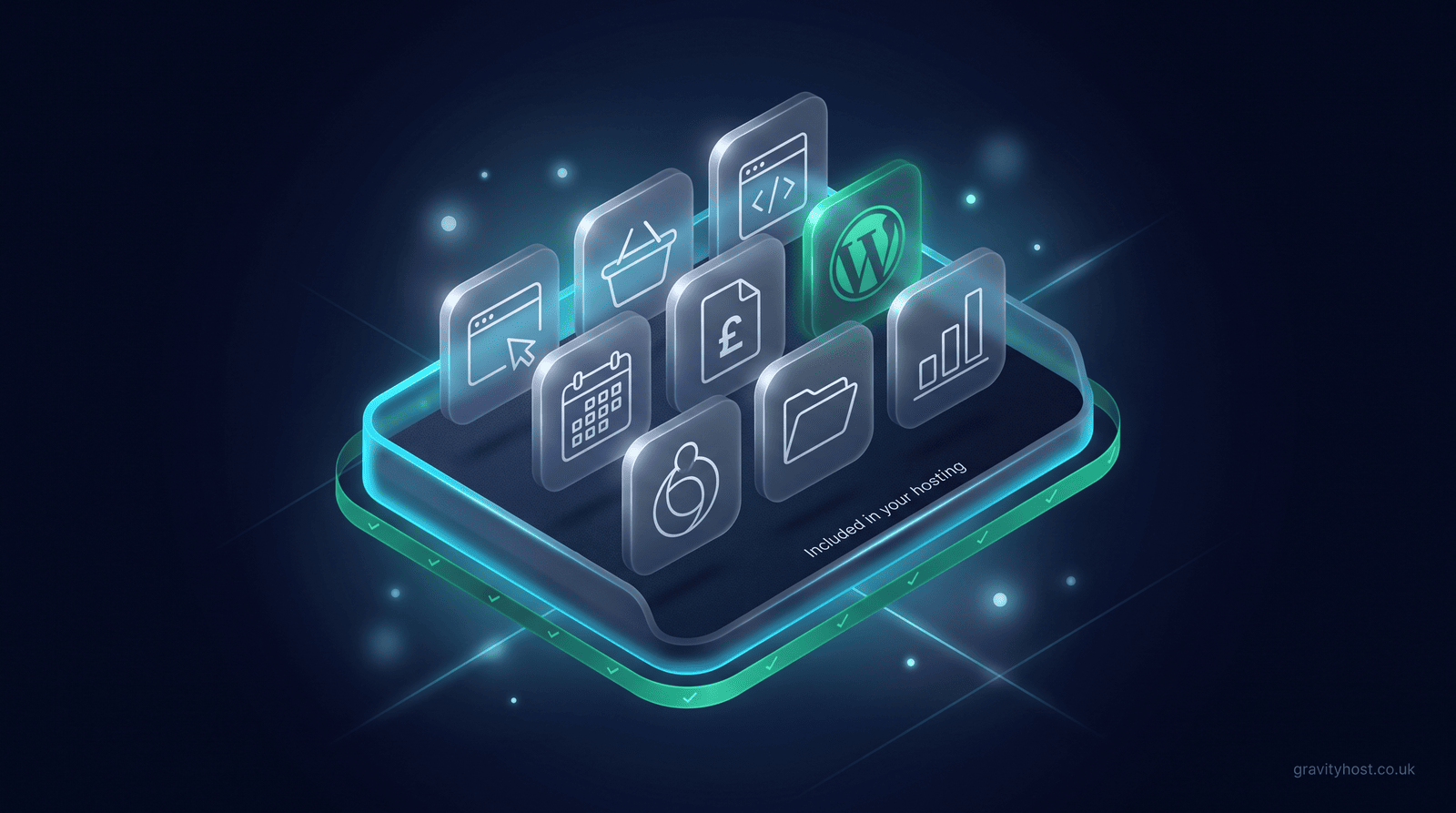
The short answer: WordPress is free, open-source software, and on Gravity Host it installs in one click from your control panel at no extra cost. The same goes for over 200 other free apps, including online shops, booking calendars and file storage. Your hosting price already covers the space, email, daily backups and the tools to install them.
Why does WordPress cost nothing to install?
WordPress is open-source software, published under the GPL licence by the WordPress community. Anyone can download it, use it for a business and change it, without paying a licence fee. What WordPress needs to run is a home: a web server with PHP, a MySQL database and somewhere to keep your pictures. That home is the hosting, and the hosting is the thing you pay for.
So the answer to "is WordPress extra?" is that WordPress itself has no price at all. The useful question is whether your hosting gives you everything WordPress needs, and whether installing it is something you can do yourself in a couple of minutes. On Gravity Host both are true: the app installer in cPanel sets up the files, creates the database and gives you a sign-in link, and you can be writing your first page shortly after.
What does one hosting price include?
A Gravity Host plan is one price with everything in it. The only thing that changes between sizes is storage space. Here is what the 15 GB plan covers, at £45 for the first year and then £75 a year.
| What you get | Included in the hosting price? | Notes |
|---|---|---|
| UK hosting on NVMe SSD storage | Yes | 15 GB, with larger sizes available |
| WordPress, installed in one click | Yes | Or ask and it is installed for you, free |
| Over 200 other free apps | Yes | Shops, bookings, CRM, forums, file storage and more |
| Website Builder | Yes | Point-and-click, for a simple site without an app |
| Email at your own domain | Yes | As many addresses as you need |
| A backup every day | Yes | You can restore one yourself from your account |
| cPanel, File Manager, FTP, PHP and MySQL | Yes | The standard tools, for anyone who builds by hand |
| Moving an existing site across | Yes | Included when you join |
| Your domain name | Billed separately | It is yours, and you can move it whenever you like |
Everything above is switched on from the start. There is no add-on to buy before WordPress, email or backups will work.
Where can you see every app before you buy?
The customer in this situation had bought first and found out afterwards, which is why the question arrived halfway through setting up. The fix was to put the whole list in public. The directory of free open-source apps groups them by the job you want to do: websites, shops, bookings and events, invoicing and accounts, helpdesks, forums, file sharing, analytics and online courses. Each entry says in one line what the app is for, so you can check that the thing you have in mind is covered before you spend anything.
A few that small businesses ask about most often:
- WordPress for a website or blog you can edit without touching code, with the free WooCommerce plugin added if you want to sell products.
- OpenCart or PrestaShop for an online shop with its own catalogue and orders.
- Easy!Appointments to let clients pick an appointment slot from your availability.
- Invoice Ninja or Dolibarr for quotes, invoices and customer records.
- Nextcloud to keep files in your own online space and share them with other people.
- Matomo for visitor analytics that live on your own hosting.
How do you install WordPress on Gravity Host?
The do-it-yourself route takes a few minutes:
- Sign in to your account and open cPanel.
- Find the app installer and choose WordPress.
- Pick the domain the site should live on, and give the site a name.
- Choose an admin username and a strong password, then press install.
- Open the sign-in link it gives you and start adding pages.
If you would rather not do any of that, send a message saying which app you want. Gravity Host installs any app from the directory for you, free of charge, and sends the link to sign in once it is ready. A person in the UK reads the message and replies in plain English.
Are there any costs after installing a free app?
The app stays free. Where a cost can appear is in optional extras made by other people. Some WordPress themes and plugins have a free version and a paid premium version, and a few shop apps sell paid add-ons such as specialist payment or shipping modules. Those are choices between you and the people who make them, and plenty of business sites run happily on free themes and free plugins alone. Your hosting price does not change either way.
Space is the other thing worth keeping an eye on. 15 GB comfortably holds a normal business website and its email. A shop with thousands of large product photos, or a Nextcloud store full of video, may want a bigger size later, and you can change size at any time.
Which app should you start with?
Start with the job, then pick the app. If you want a website you will update yourself, WordPress is the safe default: it is widely used, well documented and easy to hand to someone else later. If you want a one-page site live this afternoon, the Website Builder is quicker. If the website is mainly a shop, choose a shop app from day one so your products, stock and orders are in one place. Not sure? Describe what you need, something like "a small online shop" or "a booking calendar", and you will get a suggestion back.
Whichever you choose, the daily backups mean a mistake in your first week is easy to undo, which makes it a good time to experiment.
Frequently asked questions
Is WordPress free with web hosting?
WordPress itself is free, open-source software that anyone can use for a business without a licence fee. What you pay for is the hosting it runs on. On Gravity Host, WordPress installs in one click from the app installer in cPanel and costs nothing on top of your hosting price. If you prefer, Gravity Host will install it for you, also free, and send you the sign-in link once it is ready.
Do I need a separate WordPress hosting plan?
No. Gravity Host has one plan with everything included, and the only thing that changes between sizes is storage space. Every plan has PHP, MySQL databases, cPanel and the one-click installer that WordPress needs. The 15 GB plan is £45 for the first year and then £75 a year, and it runs WordPress alongside your email and daily backups with nothing further to switch on.
How many apps can I install on Gravity Host?
The app installer in cPanel offers over 200 free apps, including WordPress, Joomla, OpenCart, PrestaShop, Nextcloud and Matomo. The open-source apps directory on the Gravity Host website picks out the ones small businesses use most, grouped by job, and any of those can be installed for you free of charge. You can run more than one app on the same hosting, for example WordPress on your main domain and a booking calendar on a subdomain.
Will installing an app change my hosting bill?
No. Installing WordPress or any other app from the installer does not change what you pay for hosting. The bill only changes if you choose a bigger storage size. Some apps have optional paid extras sold by their own makers, such as premium WordPress themes or specialist shop modules, but those are separate purchases you choose to make, and the free versions work without them.
Can Gravity Host set up WordPress for me?
Yes. Send a message saying which app you would like, or describe what you need, such as "a website I can edit myself" or "a small online shop", and Gravity Host will suggest an app and install it on your hosting for free. Once it is set up you receive the link to sign in and add your own words, pictures and prices. If you get stuck after that, a real person in the UK will help.
What if I install the wrong app?
You can remove an app from the installer and choose another, and nothing is lost from your hosting plan. Gravity Host takes a backup every day, and you can restore one yourself from your account, which is the quickest way back from a change that went wrong. That makes the first few weeks a safe time to try WordPress, the Website Builder or a shop app and see which suits the way you work.
Do I own the website I build with these apps?
Yes. The words, pictures, layout and code of your website belong to you, whichever app built them. WordPress and the other apps in the directory store everything in standard files and databases, so your site can be backed up, copied or moved like any other. Your domain name is yours too, billed separately from hosting, and you can move it whenever you like.
Host it on Gravity Host
Fast UK NVMe hosting, free SSL, daily backups and support from a small UK team. Domains are priced separately, and the renewal price is shown before you buy.
What your hosting includes: Email at your own domain, free SSL, daily backups, website migration and one-click apps all come with every plan. See the full list.
See hosting plans