Invoicing software for tradespeople and small businesses: what to look for
The best time to send an invoice is before you drive away from the job. Good invoicing software makes that a minute's work on your phone, and shows you afterwards who has paid. This guide covers what belongs on an invoice, six questions to ask before you choose an app, and how your invoices and your website fit together.
We also say which one we would choose: go straight to our recommendation.
What goes on a proper invoice
An invoice is a short document with a fixed set of facts on it. GOV.UK lists what an invoice must include, and the sample below shows where each one usually sits.
A sample invoice. The business and the customer are made up.
- Who you areYour name and any business name, with an address and a way to reach you.
- Its own numberEvery invoice has a number that is never used twice, so you and your customer can both find it again.
- The date of the invoiceThe day you sent it. It is what "pay within 14 days" is counted from.
- Who it is forYour customer's name and address.
- What was done, when, and what each part costA clear line for each piece of work with the date it was done, then one total.
- How and when to payYour bank details and the date you expect the money. The easier you make this to find, the sooner it is done.
What to look for in invoicing software: six questions
Invoicing software runs from full accounting packages to small apps that do one job well. Both are good choices for the right business. These questions show which suits yours.

- Can you send an invoice from your phone?Try it on the phone you carry, standing up, with one hand. If the buttons are small or the screens are crowded, you will put it off until the evening.
- How long does one invoice take?Count the steps from opening the app to "sent". Ask whether you can copy an invoice from the last time you did the same job.
- Does every invoice say clearly how to pay you?Your bank details should be saved once and printed on every invoice without you retyping them.
- Can you see what is paid and what is still owed?You should be able to mark an invoice paid in one press, and find the unpaid ones without a spreadsheet.
- What does it cost as you grow?Check whether the price changes with the number of customers or invoices, and whether you can stop without a long contract.
- Who can help you with it?Ask whether a partner, a family member or your bookkeeper can have their own login, and whether a person answers when you need support.
How your invoices and your website fit together
A customer who gets your invoice often looks you up before paying it, and a customer who finds your website wants to know you are a real business. Each one backs up the other when they say the same thing.
- The same name everywhere: use one business name, phone number and email address on your invoices, your van and your website.
- Email at your own name: an address such as accounts@yourname.co.uk comes with web hosting from Gravity Host, so questions about an invoice reach a business address, not a personal one.
- A simple site that answers the usual questions: what you do, where you work and how to get a quote. Our Website Builder has a design made for trades.
The one we would choose: Invoicer
The Invoicer invoicing app is our sister product, made by GK Tools, the company behind Gravity Host. It is simple invoicing for tradespeople, built to be used on a phone between jobs.
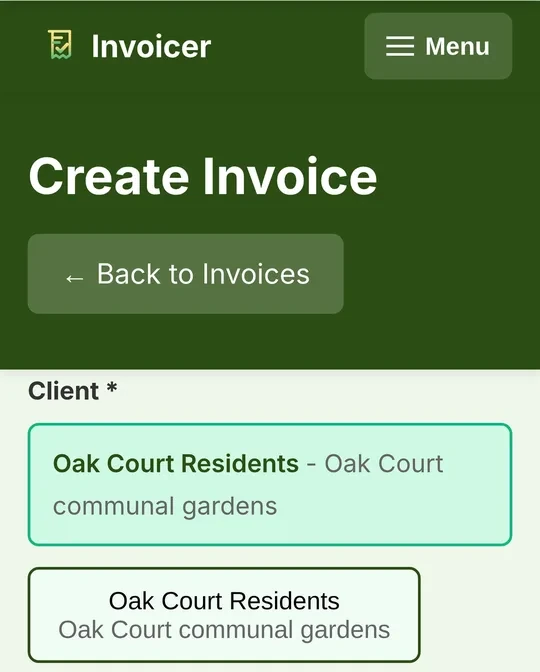
- Big buttons and clear text. Your customers are shown as large buttons, so you pick one with a single press.
- Set up by photographing an invoice. Take a photo of an invoice or quote you already send, or upload a PDF. Invoicer reads it and fills in your business details and your client, and you check everything before it is saved.
- Just ask for what you need. Type what you want, like "invoice Mrs Wilson £180 for the gutters", and the assistant sets it up for you to check before anything is sent.
- Copy any invoice. Done the same job before? Copy a past invoice or quote, change what is different and send. A quote you have won turns straight into an invoice.
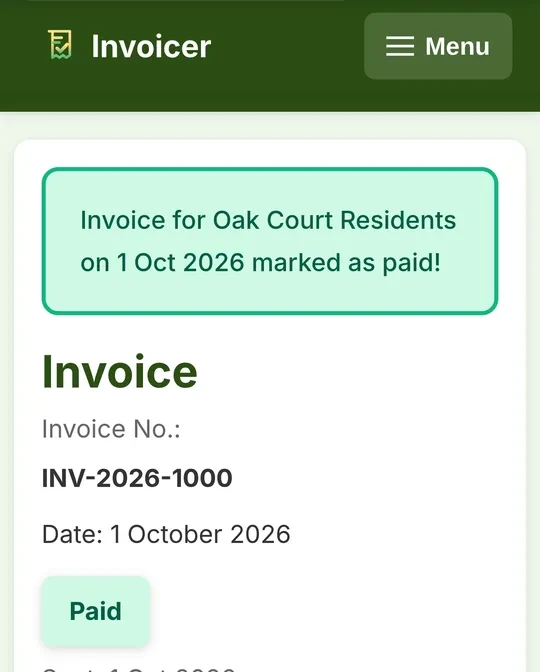
- Mark it paid. When the money comes in, mark the invoice paid and it says so.
- Your insurance certificate to hand. Keep your public liability certificate there and send it to a client with one button.
- A helper can have their own login, and support is by email, answered by people.
What it costs
£8 a month, or £80 a year. Monthly is pay as you go: stop whenever you like. Both come with unlimited customers and invoices.
The first 3 months are free, and no card is needed to start.
Prices and features read on invoicer.gk.tools on 17 November 2026. Invoicer has its own account and its own bill, separate from your hosting.
Questions about invoicing software
What is invoicing software?
It is an app that makes your invoices for you. You keep your business details and your customers in it, choose a customer, say what the job was and what it cost, and it sends a tidy, numbered invoice by email. It also keeps a record of what you have sent and what has been paid.
What has to be on an invoice?
GOV.UK says an invoice must have a unique number, your name or business name with your address and contact details, the name and address of your customer, a clear description of what you are charging for, the date the work was done, the date of the invoice, the amounts and the total owed. GOV.UK has the full list for your kind of business.
Can I send an invoice from my phone?
Yes, with an invoicing app made for it. That is the main thing to check before you choose one: try making and sending an invoice on your phone, with one hand, before you pay for anything.
How much does Invoicer cost?
On 17 November 2026 its website said £8 a month, or £80 a year. Monthly is pay as you go and you can stop whenever you like. Both come with unlimited customers and invoices.
Do I need a card to try Invoicer?
No. Its website says the first 3 months are free and no card is needed to start. You add payment details before the trial ends if you want to carry on.
Is Invoicer part of Gravity Host?
No. They are separate products from the same company, each with its own account and its own bill. You can use either one without the other.
Need a website and email to match?
Web hosting from Gravity Host comes with the Website Builder and email at your own domain name. The order page shows the price before you pay.