Install Google Shopping
For OpenCart 3.0. Six steps, in your OpenCart admin and in Google Merchant Center. You need the zip from your purchase email or from Your software.
Already using the Fresh theme? Don't install this. Fresh already includes Google Shopping, so you have it at Extensions > Extensions > Modules. If you install this download on a Fresh shop and later remove it, OpenCart also deletes files the two share, and Fresh needs them.
Step by step
-
Upload the zip
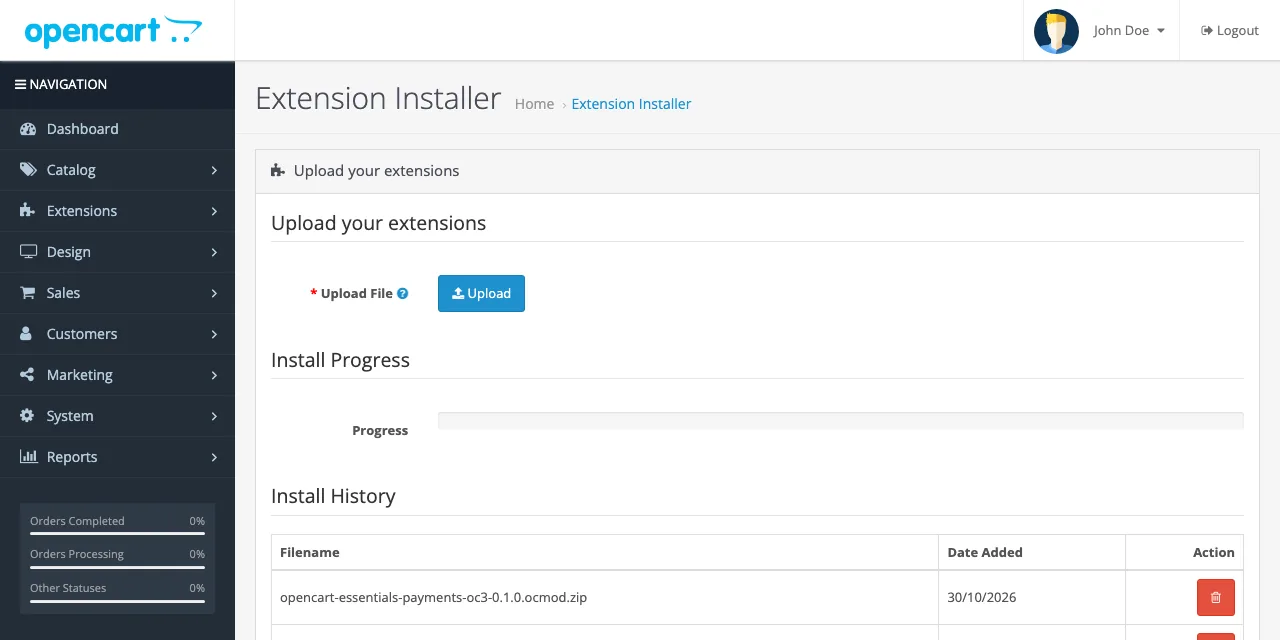
In your OpenCart admin, open Extensions, then Installer. Press Upload and choose the zip you downloaded.
-
Install it
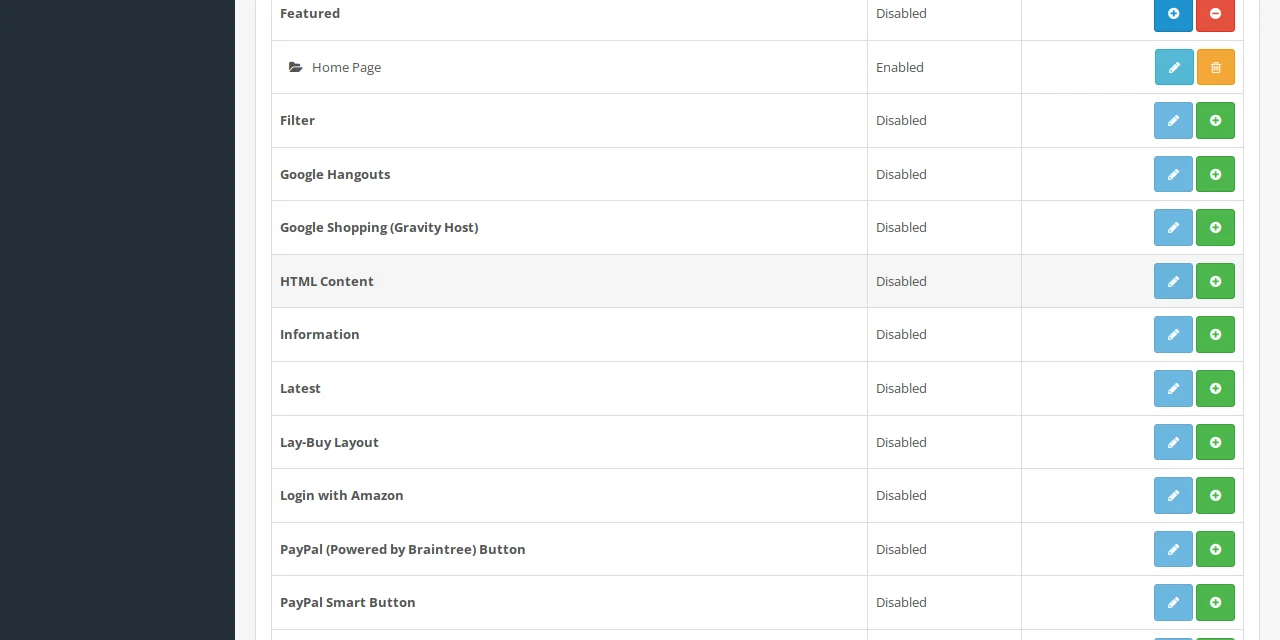
Open Extensions, then Extensions, and choose Modules from the drop-down. Find "Google Shopping (Gravity Host)", press the green +, then the blue pencil.
-
Add your countries
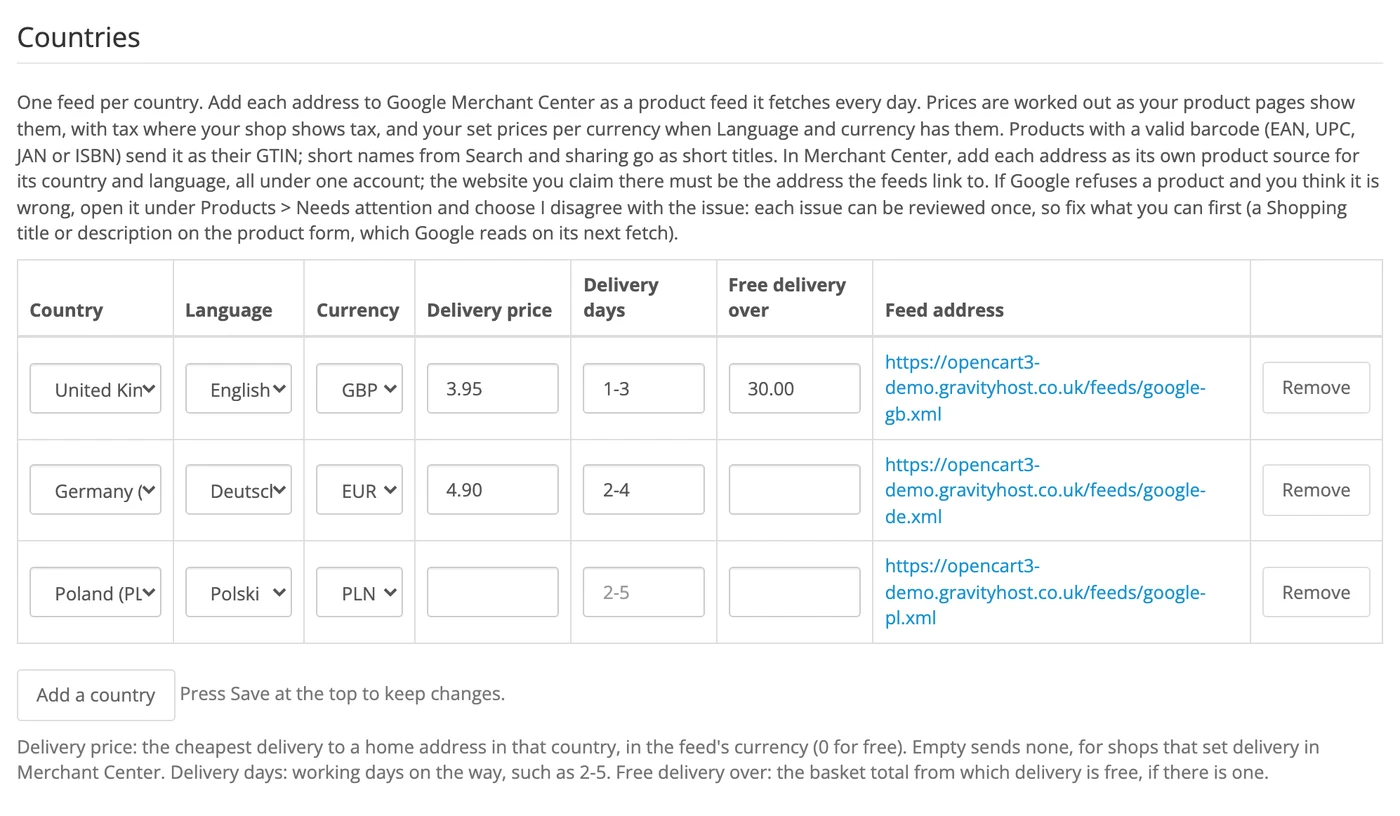
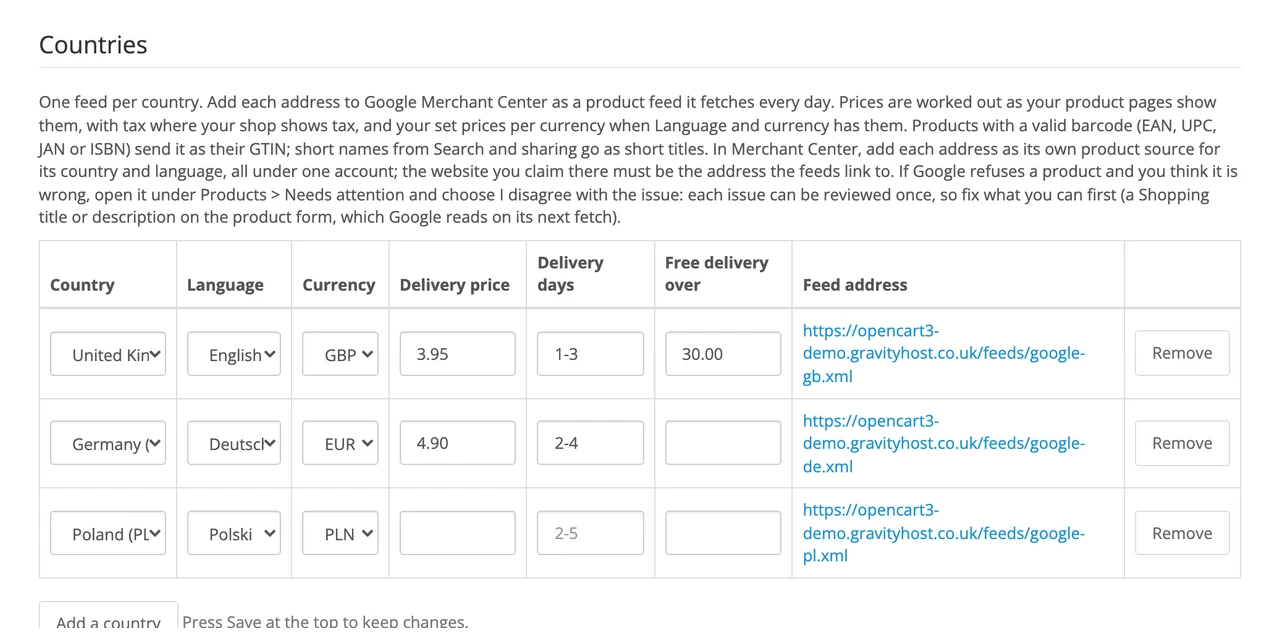
Set Status to Enabled. Under Countries, press Add a country and pick its language and currency. Add your delivery price, delivery days and, if you have one, the basket total for free delivery. Do the same for each country you sell to, then press Save at the top. Each country gets its own feed address.
-
Add your licence key
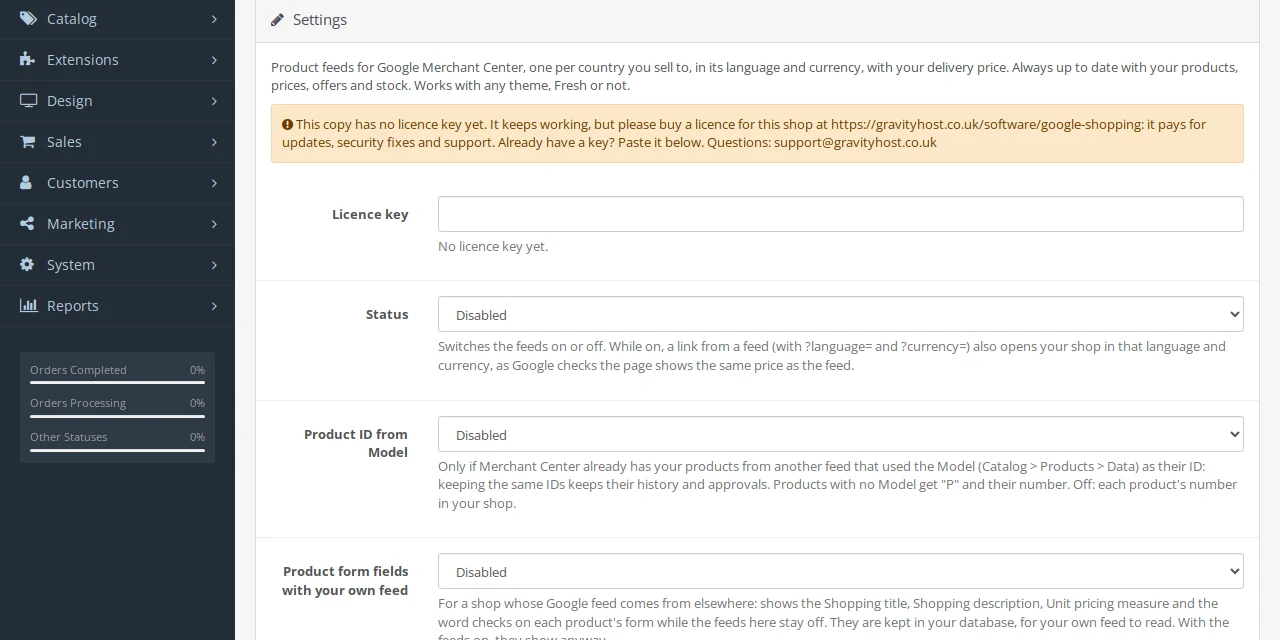
Paste the licence key from your purchase email into the Licence key box at the top of the settings and save. Test, staging and local copies of your shop need no key.
-
Add the feeds to Merchant Center
In Google Merchant Center, add each feed address as its own product source, for its country and language, all under one account. The website you claim in Merchant Center must be the address the feeds link to. Google fetches each feed every day.
-
Check your products
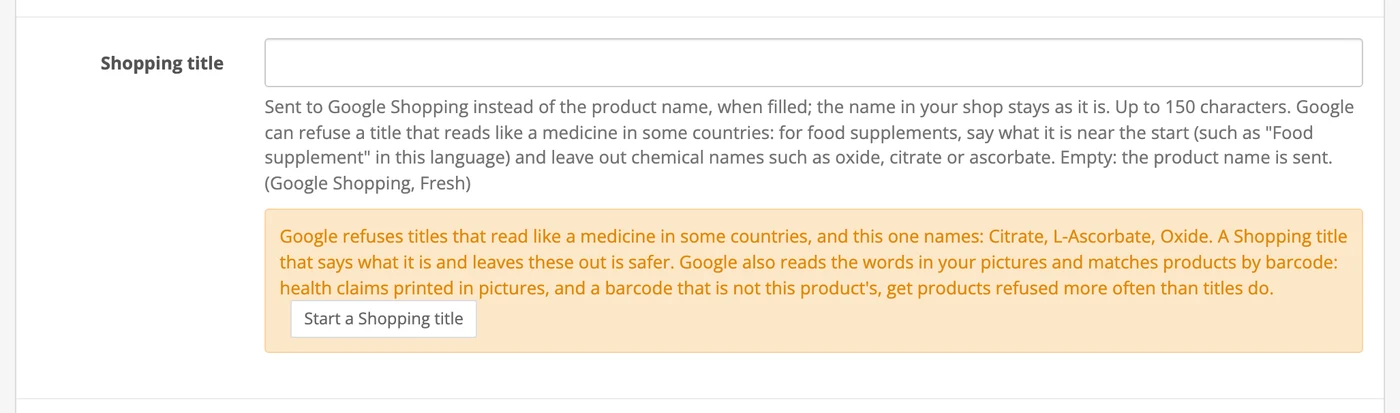
Open Catalog, then Products, and edit a product. Its form now has a Shopping title, a Shopping description and a Unit pricing measure, with a warning when a barcode or a title may get the product refused. Add your Merchant Center ID in the settings to get a link from each product to it in Merchant Center.
Updating later
Download the new zip from Your software and upload it (step 1). Your settings and countries stay as they are.
Stuck?
Email support@gravityhost.co.uk or open a ticket and tell us which step. We reply around the clock.