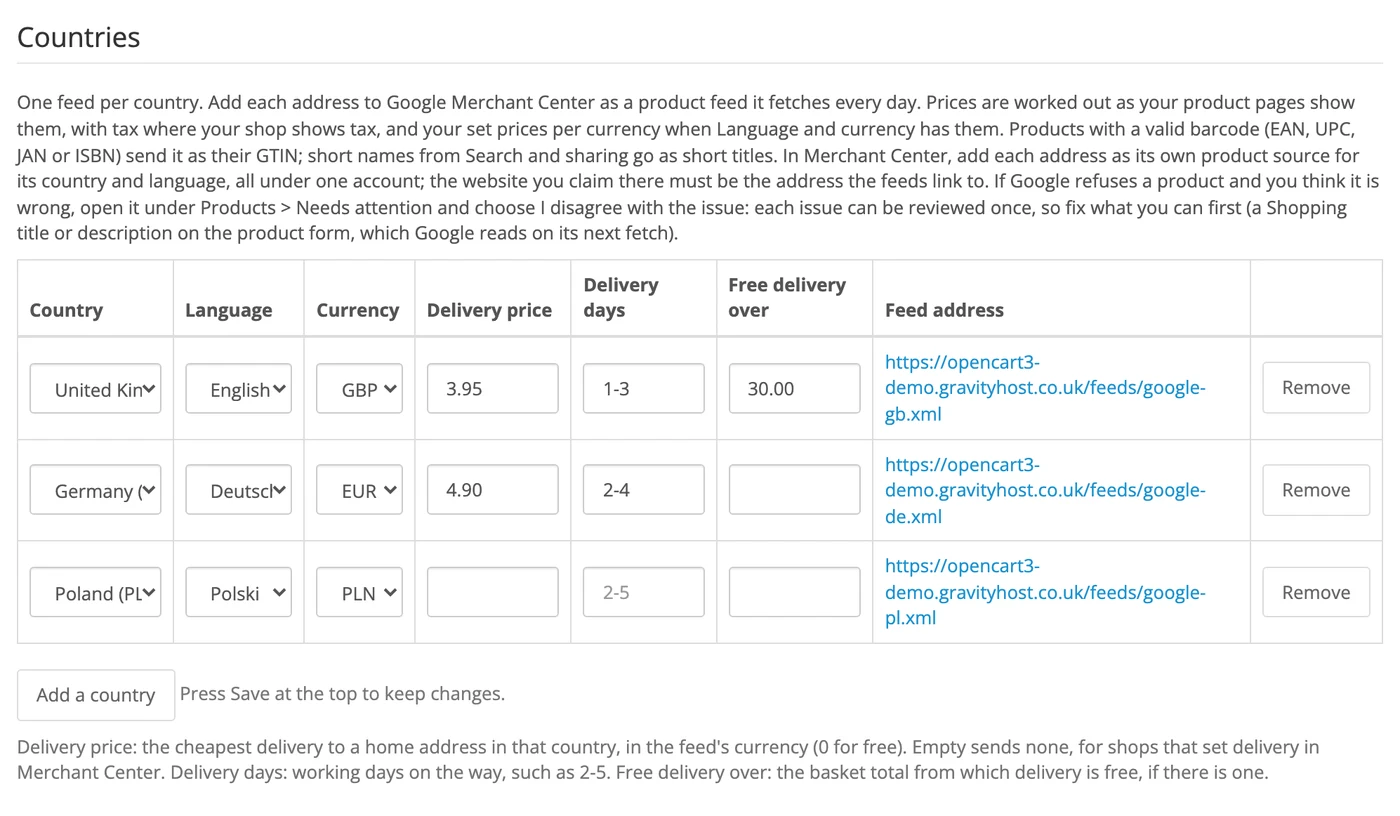
A feed per country
Each in its own language and currency, with your delivery price, delivery days and free delivery level for that country.
The Google Shopping extension for OpenCart 3
A feed for each country, in its language and currency. Add a country, pick its language and currency, and give Google Merchant Center the feed address. The feed follows your products, prices, offers and stock by itself, with your delivery price and days for that country.
£39 once, with a year of updates and help. More years of updates are £15 a year, and it keeps working if you stop.
Setup guide and help: every step in order.
See the settings in the demo admin: sign in with user demo and password larkmoor. You can look at every settings page; nothing can be changed.
Google Shopping is part of Fresh, the same code. This is for shops with another theme.
Please don't install it on a Fresh shop. If you install it there and later remove it, OpenCart also deletes files the two share, and Fresh needs them.
Google Shopping began as work for one real shop selling food supplements across Europe. Each thing it checks is there because Google refused one of that shop's products for it, and the fix got the product approved.
What you get
Each in its own language and currency, with your delivery price, delivery days and free delivery level for that country.
Prices as your product pages show them, offers included, and stock, read fresh each time Google fetches the feed.
Send Google a different title or description per language when your shop's own wording would not pass, without changing your shop.
A warning when a barcode's last digit is wrong, or when it starts differently from most of your others and may be another company's.
Each product's form links to that product in Merchant Center for every country, on what needs attention.
Use your Model as the product ID to keep your products' history and approvals.
On the product form
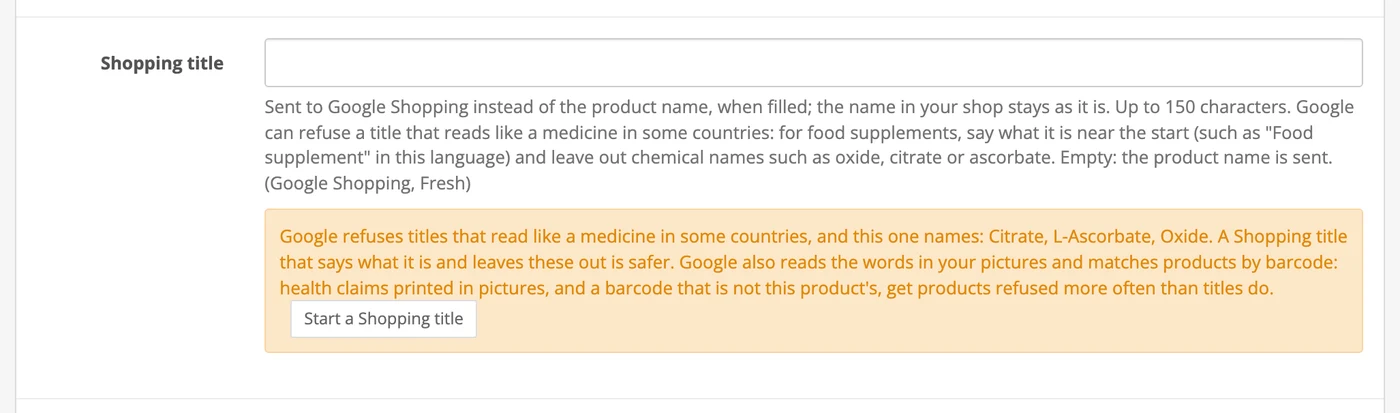
For health products, a warning when a title names chemical forms that read like a medicine, with a button that starts a safer title in the right language. Say how much is in the pack, such as 100 capsules or 500 ml, and Google shows the price per unit. And Words to check in the settings flags any word you choose in product text, before a product is saved.


Your pictures, your files
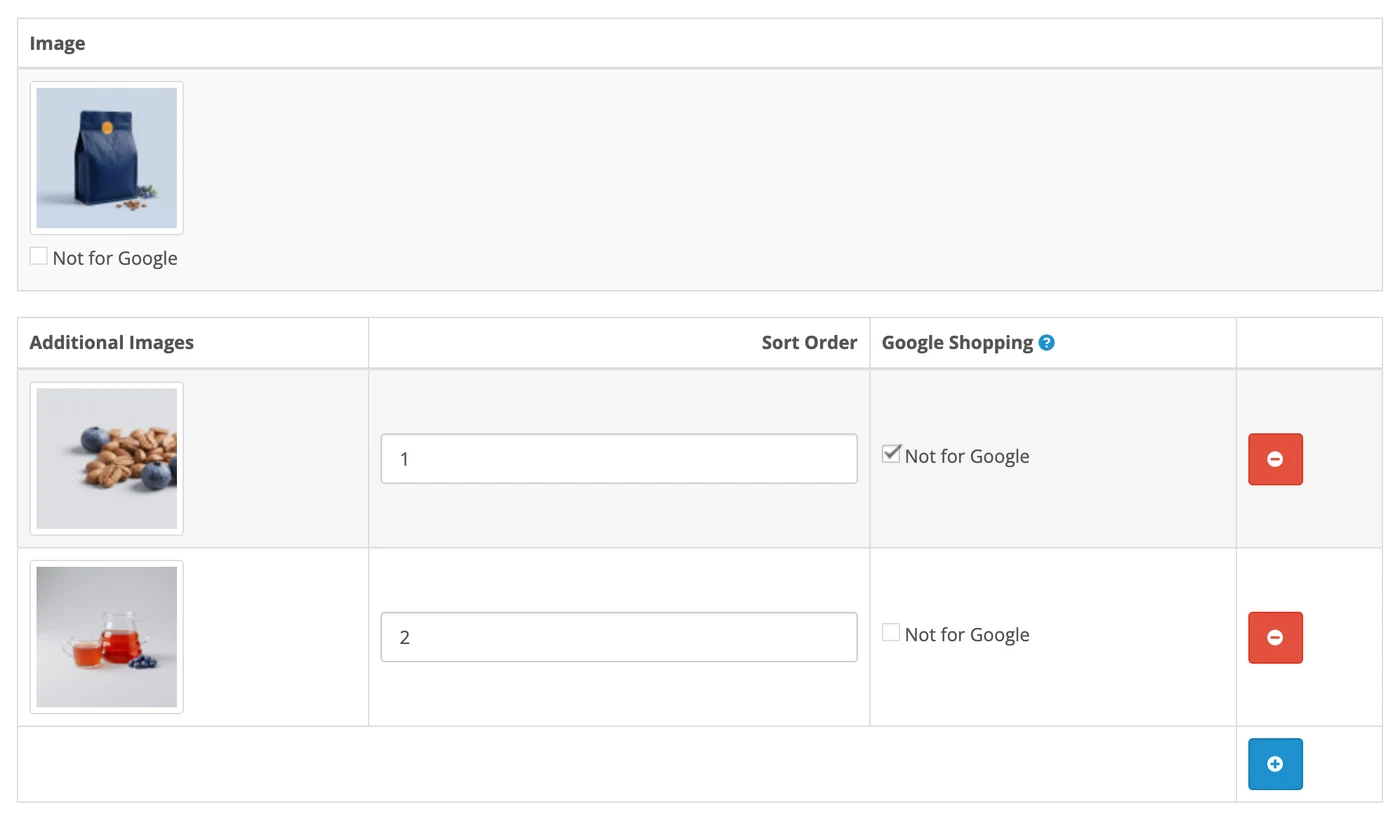
Tick Not for Google on any picture, such as one with a health claim printed on it. It stays in your shop and is left out of the feed.
No core file is edited. It hooks in through OpenCart's own events and works with any theme, including the standard one. A shop whose feed comes from elsewhere can still use the Shopping title, Shopping description and checks on the product form.
The demo shop has feeds for the UK, Germany and Poland. Open the UK feed: it is the file Google Merchant Center reads.
Price
£39 once. Yours to keep on one shop hosted anywhere, with a year of updates and help. Another year of updates is £15. Test and staging copies of that shop are free.
Buy it nowThe setup guide takes you through every step, from the upload to Merchant Center. Stuck on a step? Email support@gravityhost.co.uk and we'll help.
Open the setup guideBefore you buy
No. Google Shopping is part of Fresh, the same code. This is for shops with another theme. Please don't install it on a Fresh shop: if you remove it later, OpenCart also deletes files Fresh needs.
Yes. It works with any OpenCart 3 theme, including the standard one. No core file is edited: it hooks in through OpenCart's own events.
Yes. The demo shop has feeds for the UK, Germany and Poland, and the demo admin (user demo, password larkmoor) shows every settings page. Test and staging copies of your own shop need no licence.
You add each country's feed address to Google Merchant Center once, as a product source. After that Google fetches it every day, and each fetch reads your products, prices, offers and stock as they are then.
Yes, if your old feed used the Model as the product ID. Switch on Product ID from Model and your products keep their history and approvals.
No. Upload the new zip in Extensions > Installer, and your settings stay as they are.
Yes, one for your live shop: paste it into the Licence key box at the top of the settings. Without it the feeds still work and the settings show a reminder. A key for Fresh works here too.
Yes. It costs the same for everyone, wherever you buy it.
Prices are shown and charged in this currency, with no conversion at checkout, and no surprise from your bank.