Sign-up tick boxes
For offers and reminders, at the checkout (guests too) and on the sign-up page. A box left empty counts as a no, and a "Never email" list keeps out anyone who asks.
The Newsletter extension for OpenCart 3
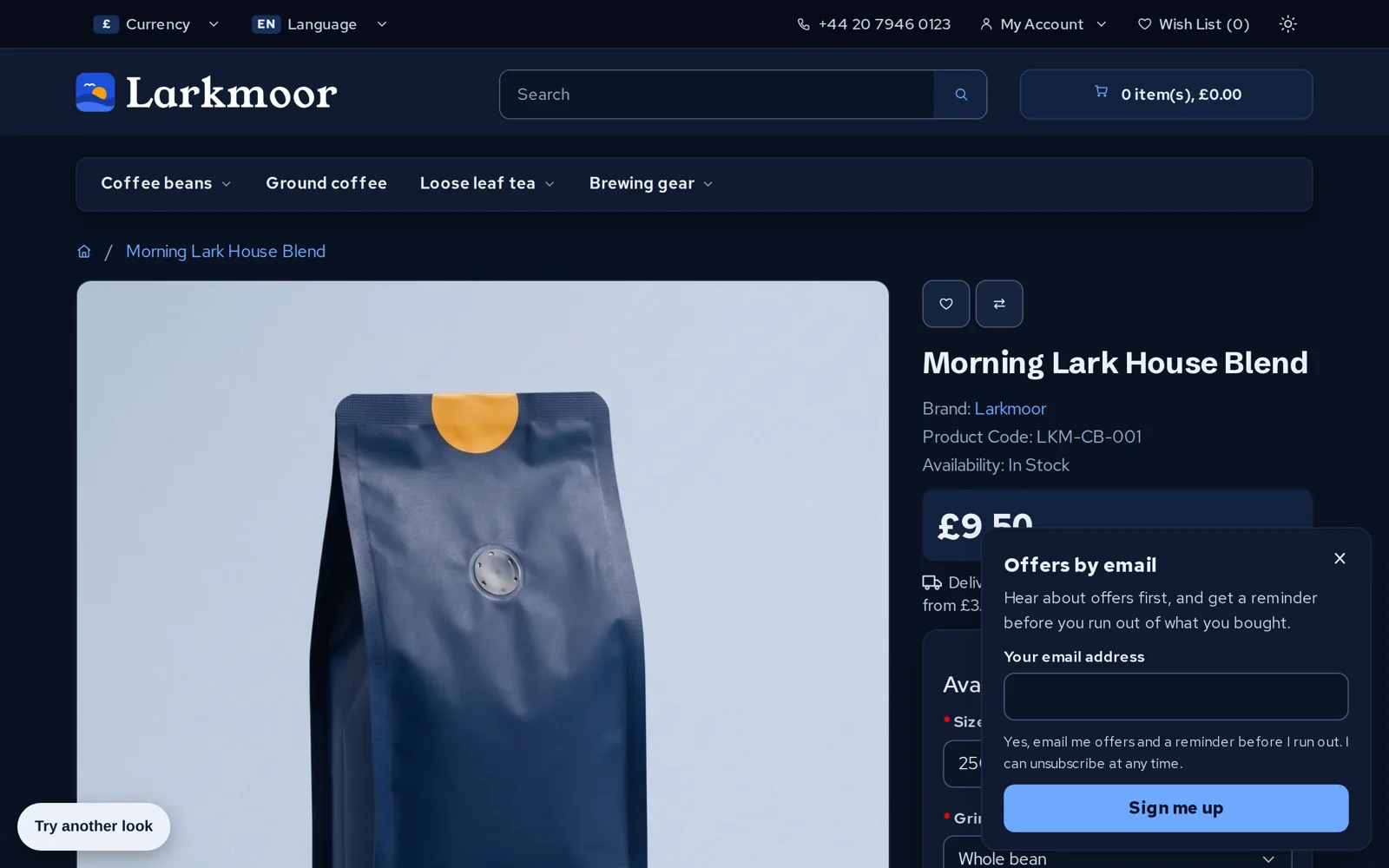
Sign-up tick boxes at the checkout and a small pop-up. A come-back email with an "Order the same again" button, and a reminder before what they bought runs out. You see who would get each email before anything goes, and only people who said yes are ever emailed.
£25 once, with a year of updates and help. More years of updates are £10 a year, and it keeps working if you stop.
Setup guide and help: every step in order.
Newsletter is part of Fresh from version 1.11.123, the same code. This is for shops with another theme.
Please don't install it on a Fresh shop. If you install it there and later remove it, OpenCart also deletes files the two share, and Fresh needs them.
What you get
For offers and reminders, at the checkout (guests too) and on the sign-up page. A box left empty counts as a no, and a "Never email" list keeps out anyone who asks.
Shown once, after a few seconds or when a visitor moves to leave. Never on the checkout or the account forms. Once closed, it stays closed. Pop-up sign-ups confirm by email first.
With the exact words the customer was shown, where they said it and when, on the customer's page in your admin.
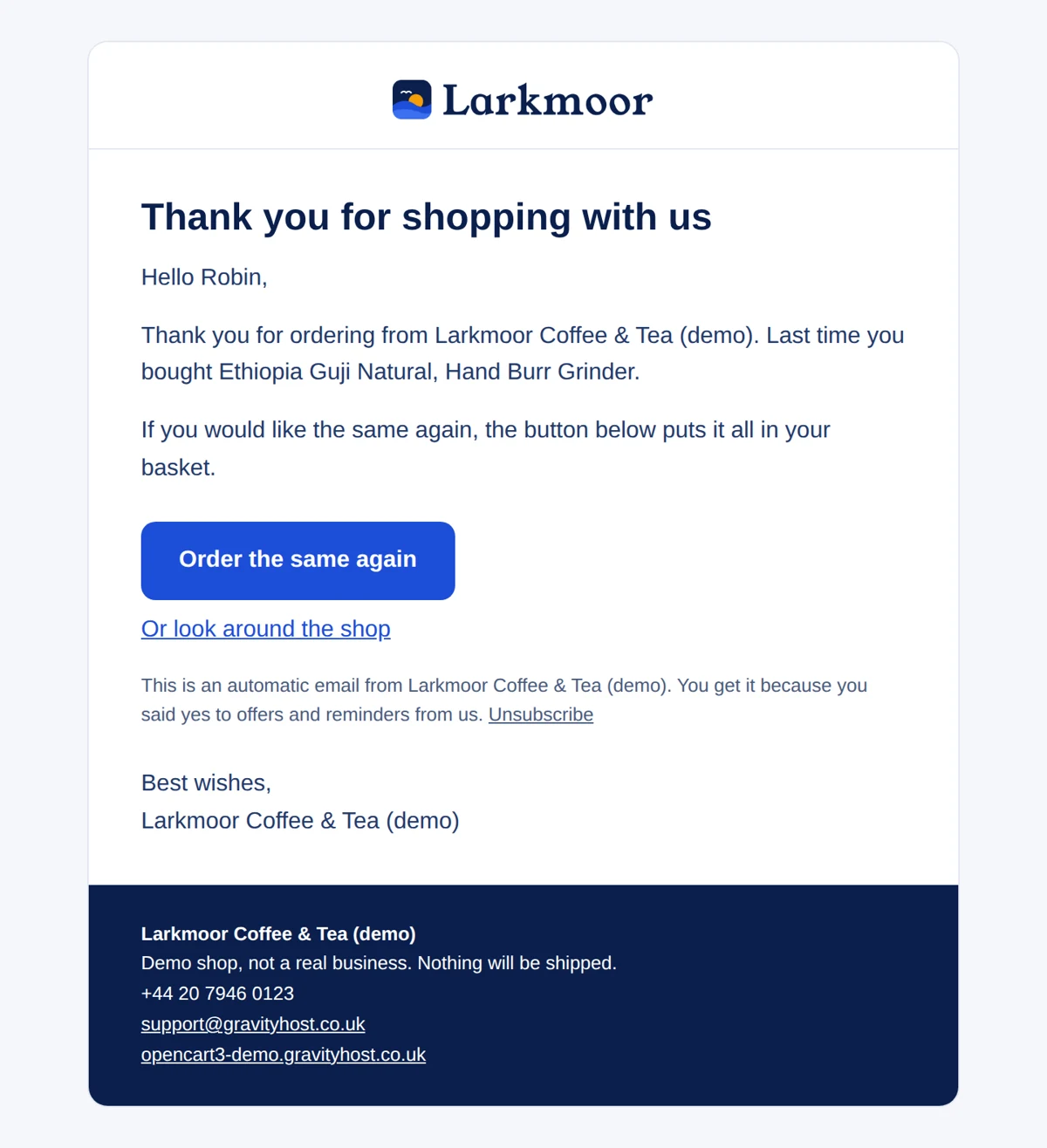
Some days after a buyer's last order: what they bought, an "Order the same again" button that fills their basket, and an offer from your coupons if you want one. The coupon's code is on every link, so it reaches the basket by itself. It comes in your shop's own look, and your logo shows in every email app, even when your shop's logo is an SVG.
A few days before what they bought should run out, only for products that get used up: timed from Fresh's Key facts, or the product's own "Lasts (days)" box. A grinder or a mug never gets one. Not sent if they have ordered it again.
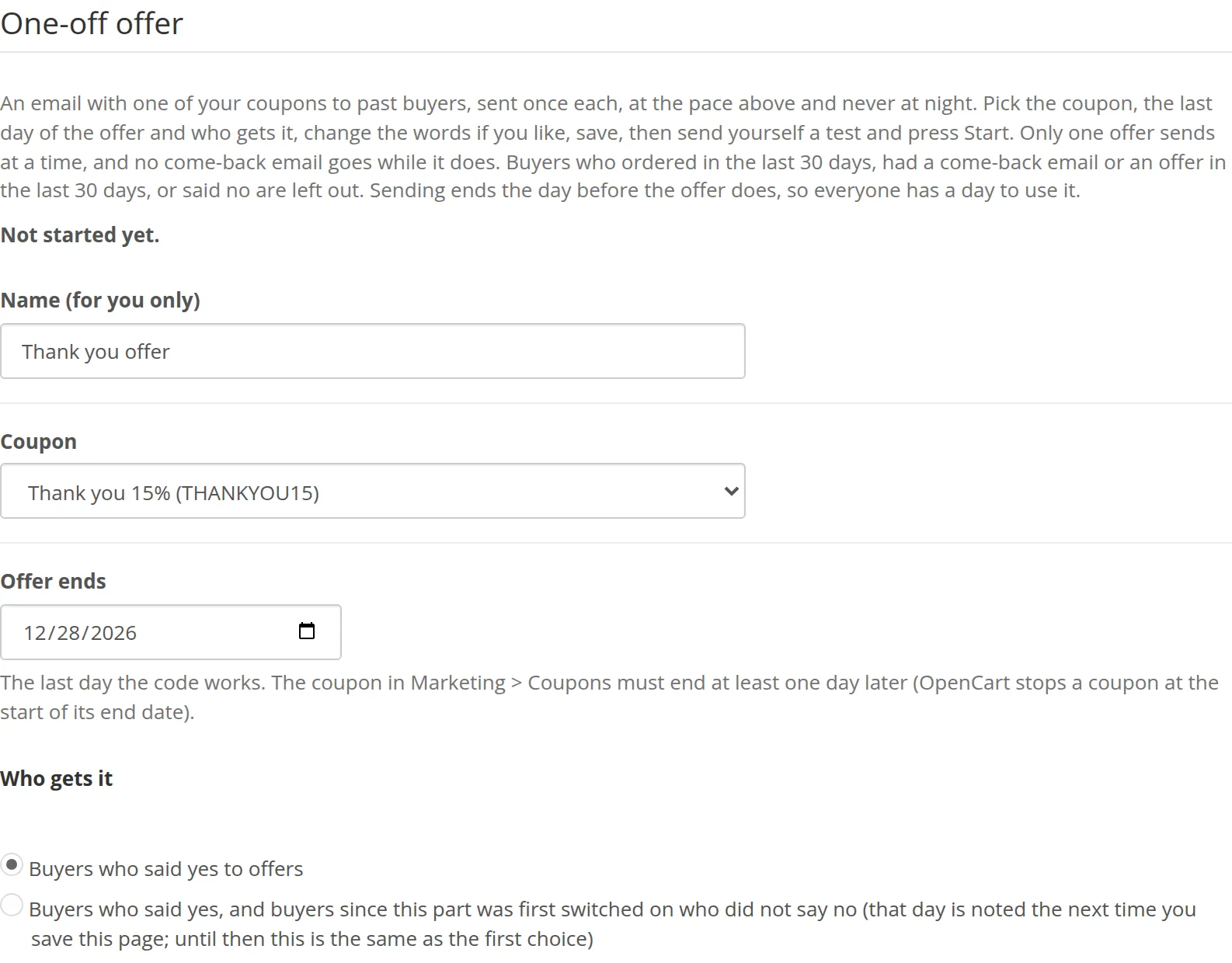
Send one of your coupons to past buyers once, with an end date, and see the orders and takings it brings in. Anyone who ordered in the last 30 days or had another offer lately is left out, and the coupon and every link are checked before it starts.
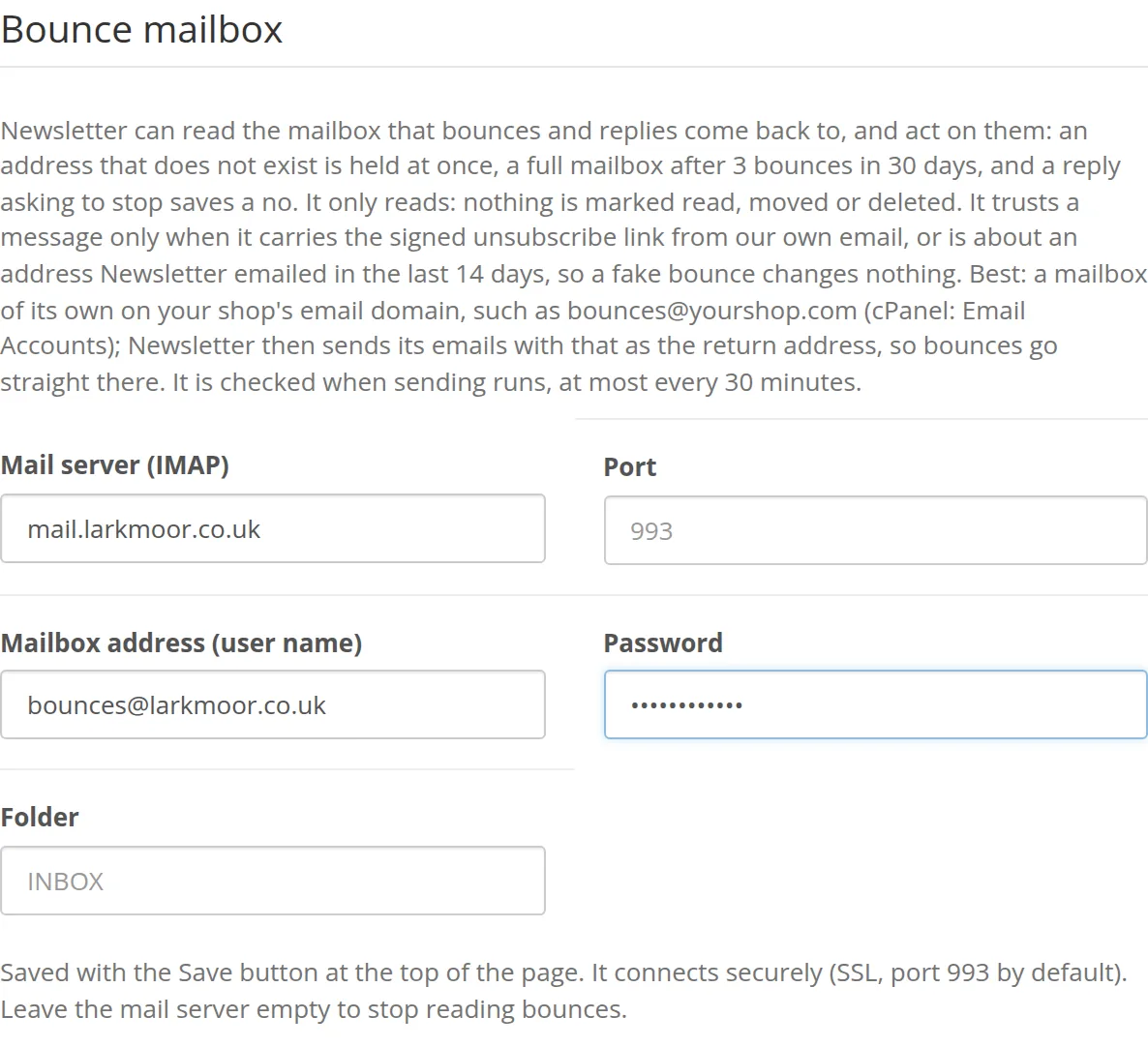
Give it a mailbox and it reads what comes back, without moving or deleting anything. Addresses that can never take email are set aside, a reply asking to stop counts as a no, and out-of-office replies are ignored. If too many emails bounce, or a mail server refuses yours, sending pauses itself and you get an email.
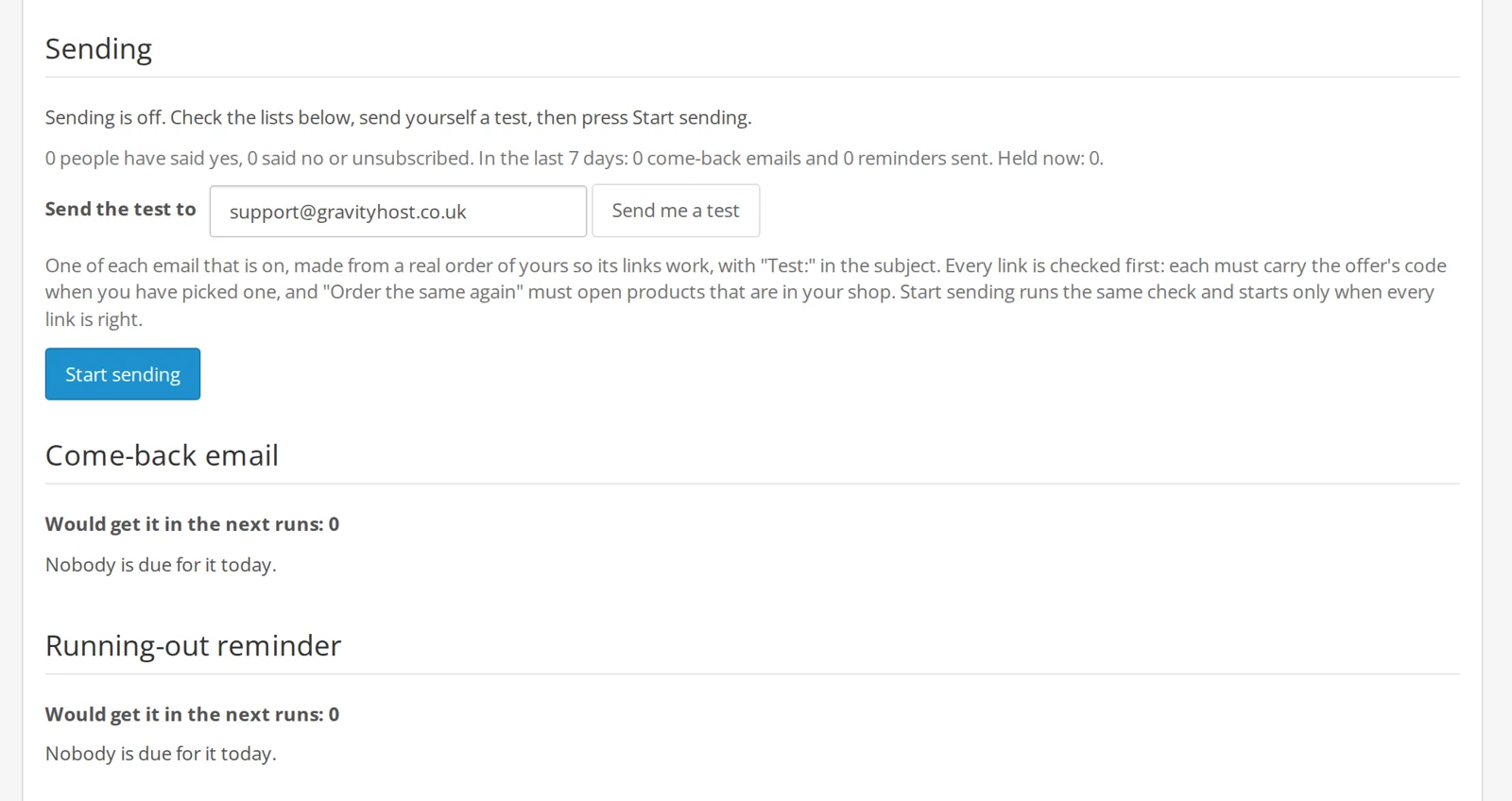
Who would get each email, and who is left out and why. Send yourself a test first: every link is checked, so each carries your offer's code and "Order the same again" opens products still in your shop. Quiet shop? One scheduled-task line in your hosting sends on time without waiting for visitors.
Every email says it is automatic and why it came, carries your shop's name and postal address at the foot, as marketing emails should, and has an unsubscribe link signed for that address and your shop. The link opens a button, so a mail scanner opening it changes nothing. Gmail and Apple Mail also show their own Unsubscribe button: one press, done.
The shop's words come in English, German, Spanish, French, Italian, Dutch, Polish and Brazilian Portuguese. Optional campaign tags on the links let Matomo or Google Analytics count the sales each email brings.
Nothing is emailed until you press Start sending. Then up to 50 an hour (you choose), never between 21:00 and 08:00 your shop's time.
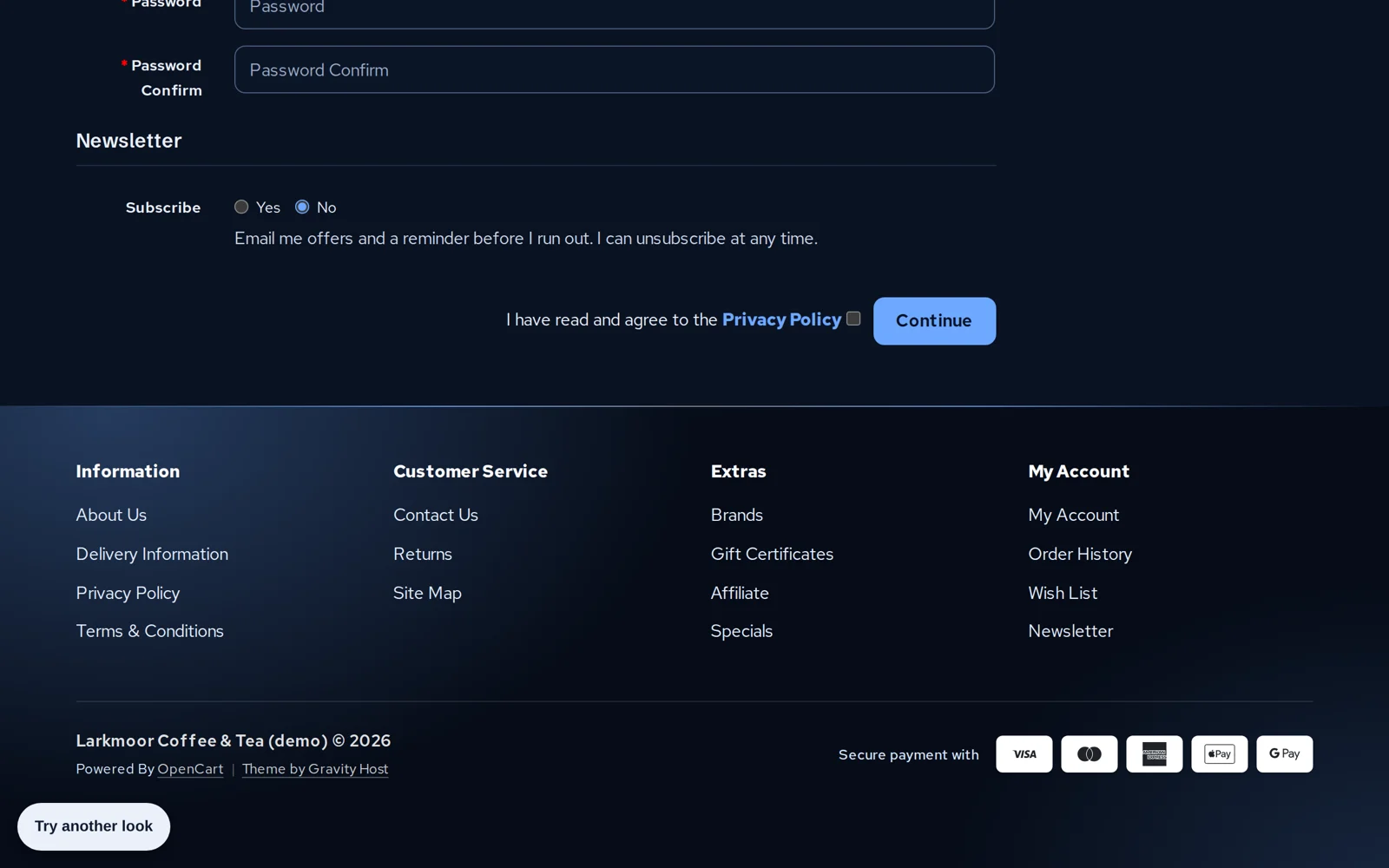
Only people who said yes
Each yes and no is kept with the words on the screen at the time. Change the words later and an earlier yes still shows what that person agreed to. A no or an unsubscribe stops your shop's emails to them, and nothing else.
Emailing past buyers who never answered is a separate switch, off to begin with. Whether that is allowed for your shop is your own decision, and the settings say so. Works well beside Delivery and Reviews.
Price
£25 once. Yours to keep on one shop hosted anywhere, with a year of updates and help. Another year of updates is £10. Test and staging copies of that shop are free.
Buy it nowThe setup guide takes you through every step, from the upload to your first email. Stuck on a step? Email support@gravityhost.co.uk and we'll help.
Open the setup guideBefore you buy
No. Newsletter is part of Fresh from version 1.11.123, the same code. This is for shops with another theme. Please don't install it on a Fresh shop: if you remove it later, OpenCart also deletes files Fresh needs.
Yes. It works with any OpenCart 3 theme, including the standard one. No core file is edited: it hooks in through OpenCart's own events.
No. It sends through your shop's own email settings, the same way as your order emails. Set how many go each hour to stay well under your hosting's limit; it sends up to 50 an hour to begin with, and never between 21:00 and 08:00 your shop's time.
Only people who said yes: a tick at the checkout or on the sign-up page, the pop-up, or Yes on their account page. Emailing past buyers who never answered is a separate switch, off to begin with. Whether that is allowed for your shop is your own decision, and the settings say so.
It stays in step. A yes or no given through Newsletter changes it too, so your other tools see the same answer.
No. Upload the new zip in Extensions > Installer, and your settings, your words and everyone's yes and no stay as they are.
Yes, one for your live shop: paste it into the Licence key box at the top of the settings. Test and staging copies of your shop need no key. A key for Fresh works here too.
Yes. It costs the same for everyone, wherever you buy it.
Prices are shown and charged in this currency, with no conversion at checkout, and no surprise from your bank.